Doe Normaal
Doe Normaal app icon

For iPhone · for Dutch learners at A2–B2

Doe Normaal

Leer Nederlands zoals het echt gesproken wordt.

Practise the Dutch you already know, through dating profiles, group-chat drama and real-life chaos. No drills. No streak guilt.

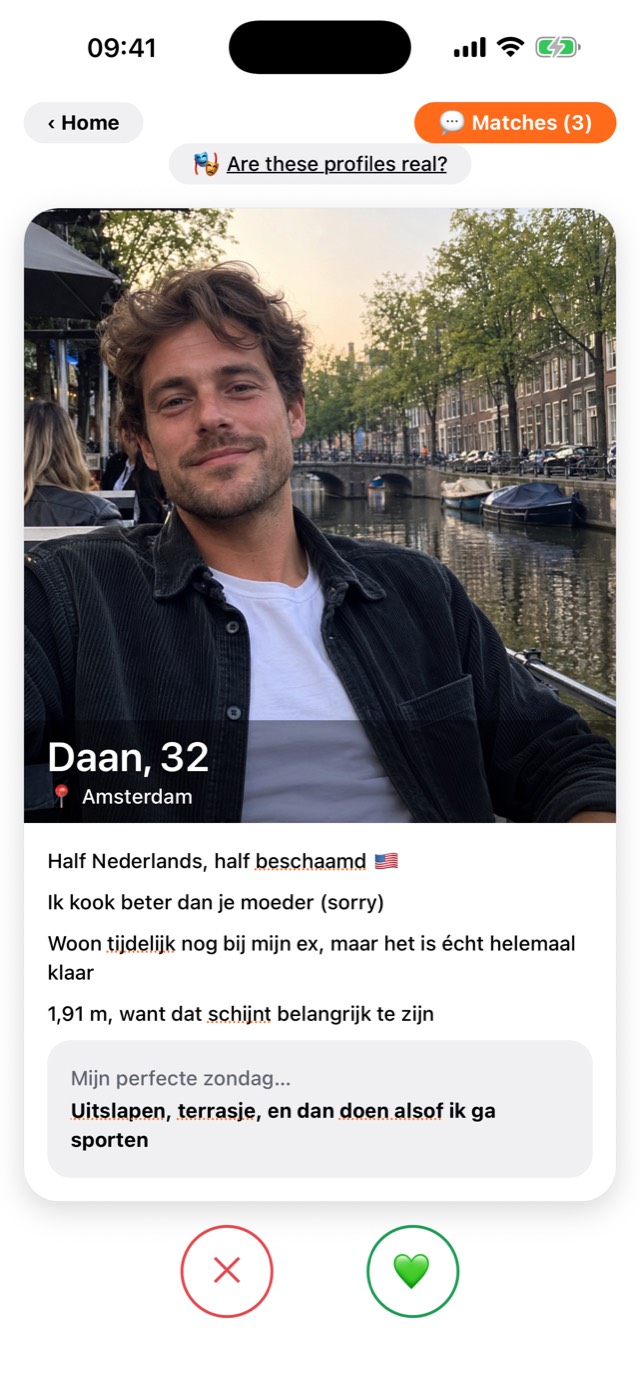
Dating profile of Daan, 32, from Amsterdam. His bio says: Half Nederlands, half beschaamd. Below it are buttons to swipe left or right.

Less homework. More drama.

Doe Normaal swaps drills and streaks for funny, real-life content. The practice is built in, so you're learning while you're judging someone's dating bio.

Swipen

“Nederlandse datingprofielen. Inclusief red flags.”

Swipe through Dutch dating profiles. Read the bios, spot the red flags and answer questions about them. Swipe right and some matches text you back, so you'd better have a reply ready. In Dutch.
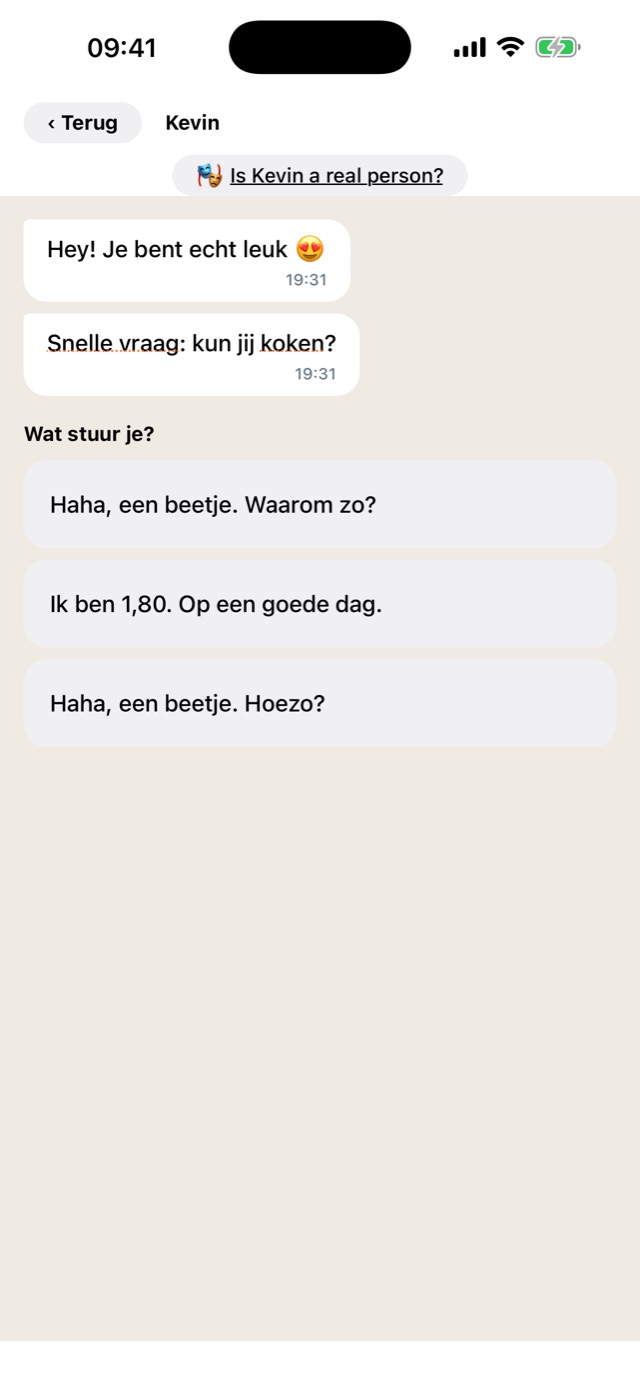
A match called Kevin texts: Hey! Je bent echt leuk. Snelle vraag: kun jij koken? Three possible replies are shown to pick from.

Groepsapp

“Iemand vreemdgaan? De groepsapp weet het al.”

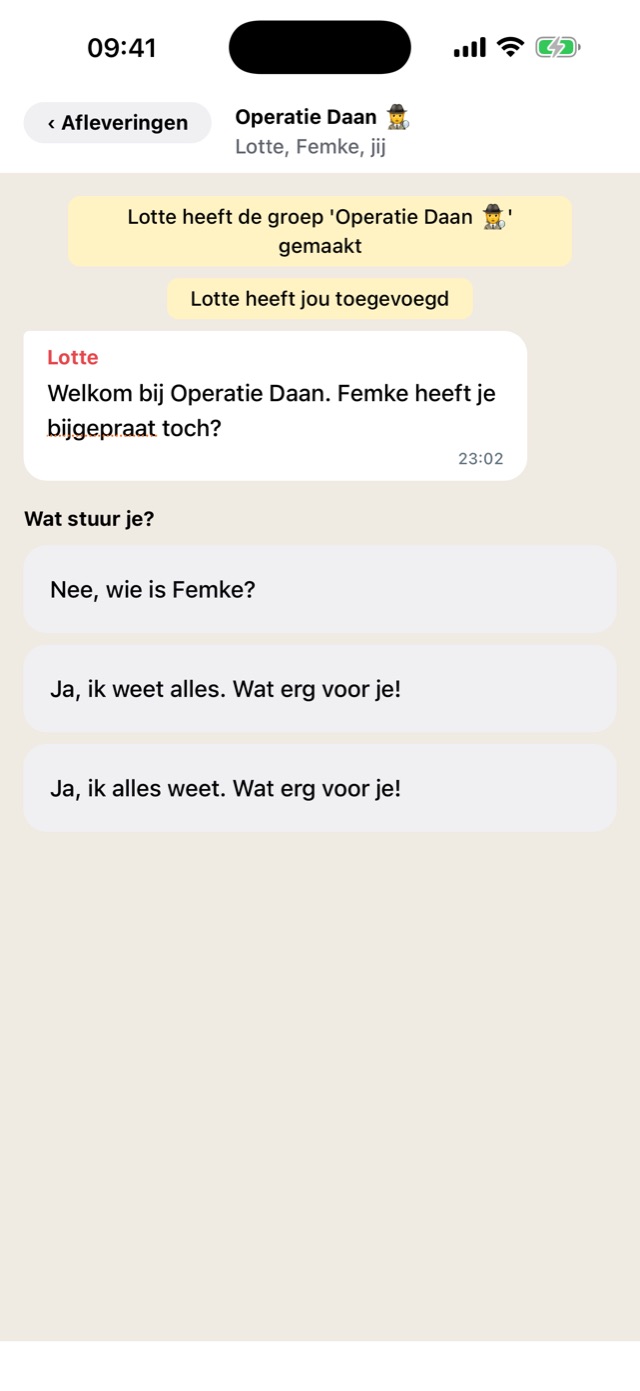
Chat episodes in a WhatsApp-style group chat. The drama unfolds message by message and you pick the right reply. Season 1: someone spots their friend's boyfriend Daan on a dating app…

Group chat called Operatie Daan. Lotte writes: Welkom bij Operatie Daan. Femke heeft je bijgepraat toch? Below, three replies to choose from.

Tap to translate

Ff, wss, zelfs? Tap it.

Underlined words and expressions can be tapped for an English explanation. That includes the slang and chat shorthand (ff, wss) your textbook politely skipped.

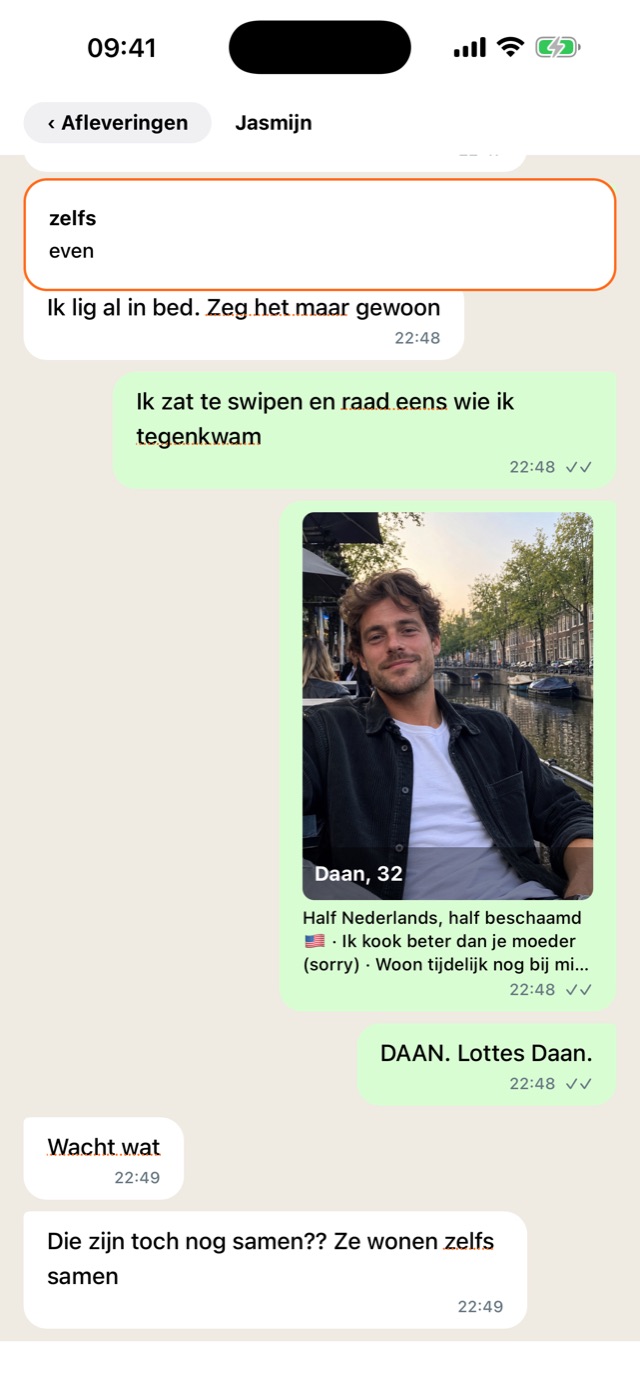
Group chat about Daan, with the underlined word zelfs tapped and its English translation, even, shown at the top.

Woorden

Look it up once. Keep it for good.

Every word you look up is saved and practised in a word quiz until you've mastered it: correct on 3 different days. Then it's yours.

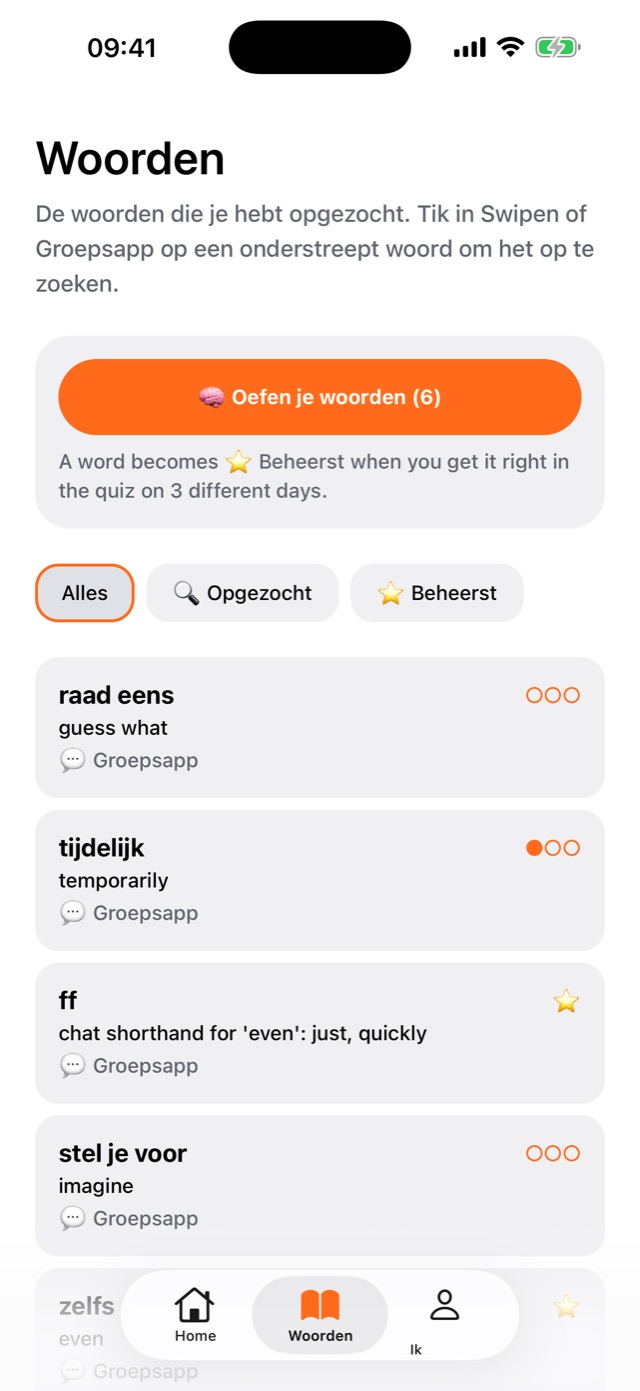
Woorden screen listing saved words such as raad eens (guess what), tijdelijk (temporarily) and ff (chat shorthand for even, quickly), each with progress dots.

Works offline

Practise on the train, even when the train wifi doesn't work. Again.

Keeps your progress

Progress syncs. Sign in with Apple or email to keep it when you get a new phone.

Is it for you?

Ja, if…

  • You already know some Dutch, roughly A2 to B2.
  • You can order a koffie, but a Dutch group chat still loses you.
  • You want to understand how people really talk, not how the textbook does.

Nog niet, if…

You're starting from zero. Learn the basics first, then come back. We'll be here, acting normal.

Support & FAQ

Stuck, or spotted a mistake in the Dutch? Doe normaal and just ask.

Contact us

contact@codeswept.com

Questions, bugs, account help or Dutch that sounds off.

Who is it for?
Learners who already know some Dutch, roughly A2 to B2. If you're starting from zero, learn the basics first and come back when “Hoe gaat het?” no longer scares you.
Are the profiles and people real?
No. All dating profiles and chat characters are fictional, and their photos are AI-generated. Nobody else sees your swipes or replies.
How do I keep my progress on a new phone?
Go to Ik → Account settings and sign in with Apple or email. Then sign in with the same account on your new phone.
I forgot my password.
Tap Forgot password on the sign-in screen.
How do I delete my account or data?
Go to Ik → Account settings. You can clear your progress or delete your account there. Or email us at contact@codeswept.com and ask us to.
Is there an Android version?
Not yet. Doe Normaal is iPhone-only for now.
Something's wrong, or I found a mistake in the Dutch.
Email contact@codeswept.com. Tell us what happened (a screenshot helps). We like being corrected about as much as any Dutch person, which is to say: go ahead.

Read how we handle your data in our privacy policy.

Doe normaal.

And practise some Dutch while you're at it.

Download on the App Store